Hello! my friends, It has been a long time since I have updated my blog due to my busy schedule. Today I am here to review one of the best PDF tool in the market. Hope you would love the article and go for the tool I recommend.
As we all know the fact that PDF files play a main role in transferring the documents to other places and sending them in original format as compared to other file formats. There are various formats beside PDF which are pretty good in their work but when it comes to formatting, PDF is the best option. This is because PDF format maintains the original formatting and secure the documents. You just need to have a PDF reader for this which is freely available on the web.
But, Here I would not be talking and writing about PDF viewers, instead I would focus on the conversion of PDF to other formats. So I would be reviewing about a PDF conversion tool that is gaining a popularity among the users who want their PDF files to be converted into various formats like Word, Excel, PowerPoint, Publisher, OpenOffice, HTML, AutoCAD, Images, etc.
PDF Converter Elite 4. (Source: http://www.pdfconverter.com/)
PDF Converter Elite 4 is a powerful PDF converter software that is developed by pdfconverter.com. It is a business alternative to Adobe Acrobat as it has been affordable PDF management solution. The previous release was PCE3 which has been revamped into PCE4. It have been a business grade PDF tool that saves money and increases productivity. It solves PDF hassles and save your valuable time and money with various PDF conversion options. This tool addresses all types of users, regardless of their skill level.
Installation Process:
Download PDF Converter Elite 4 from Here
Go to the downloaded folder and double click on the application to install it.
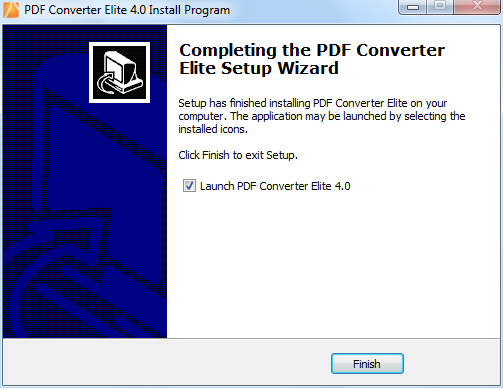
Follow these Screenshots in sequence:
The application is installed. But, this is a trial version. You need to purchase the key to make it full version.
Program Details:
After the application is installed following detail can be noticed:
Installation Folder: C:\Program Files\PDFConverter.com\PDF Converter Elite 4.0\PDFConverterElite.exe
Estimated size: 205 MB
Why PDF Converter Elite 4?
First of all, it preserves all the components of your original file in the document created post-conversion with full detail. It convert PDF file in any file format that retain its formatting, style, font, and layout.
It helps to Convert PDF Documents to Microsoft Word, Microsoft Excel, Microsoft PowerPoint, Microsoft Publisher, OpenOffice, HTML, AutoCAD, and Images.
It helps the users to convert their documents, files etc into a desired PDF form.
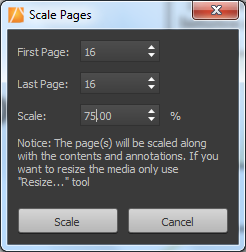
You can even edit your PDF files by Deleting Pages, Moving Pages, Resizing Files, Scaling Files, Rotating Pages, Viewing Settings, Redo/Undo Edits, and Copying Text.
You can even save your office documents directly from your Microsoft Office with a powerful office add-on.
It let’s you easily create, edit any type of PDF with full text and object control with ease.
It has come with better OCR options than the previous version. User can extract text from image, scanned PDF to fully editable Word and Excel.
User can remove unnecessary pages, resize/scale the page, rotate the page and even move selected pages.
It supports multiple tabs, so you can work on multiple projects at the same time. You may zoom in and out of the documents, apply a text or image watermark, attach files, as well as merge or extract PDF pages.
When it comes to editing the document, you can add bookmarks, a header and footer, as well as insert, delete, rotate, resize, crop and overlap pages. It is possible to process multiple files simultaneously, since batch conversion is supported.
Furthermore, you can set passwords to prevent users from getting a hold of sensitive data, create booklets and handouts, jump to a particular page, as well as specify a page range for the conversion procedure, among others. Secured as well as Unsecured PDF files can be created.
PDF Converter Elite 4 will save you time, resulting in thousands of dollars of savings and less administrative headaches.
By making use of this tool you will be doing complete justice with the document conversions, and the files created would be exactly same that you desired. After using this tool, you would never look for the other file conversion software for document conversions.
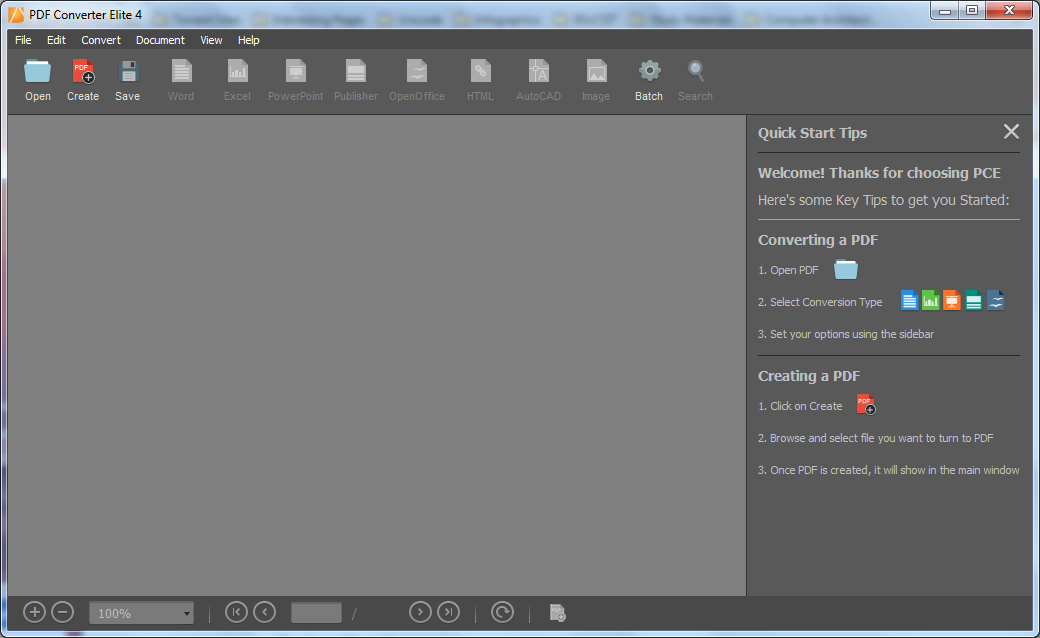
PDF Converter Elite 4: Main Window
The interface of the application is clean and pretty intuitive. Thanks to its intuitive layout, yet rich features, PDF Converter Elite should be appealing to the entire audience.
Files can be imported into the working environment using either the file browser or "drag and drop" function. PDF Converter Elite 4 supports multiple tabs, so you can work on multiple projects at the same time. You may zoom in and out of the documents, apply a text or image watermark, attach files, as well as merge or extract PDF pages.
What you have to do is just open any PDF (Scanned or Non-Scanned Documents) of your choice in this main window and use this software to turn the PDF documents into any desired formats of your choice by converting the whole document or choose only a selected area for conversion.
Some Features of application Explored in Screenshots:
(1) Conversion of a PDF file to Microsoft Word
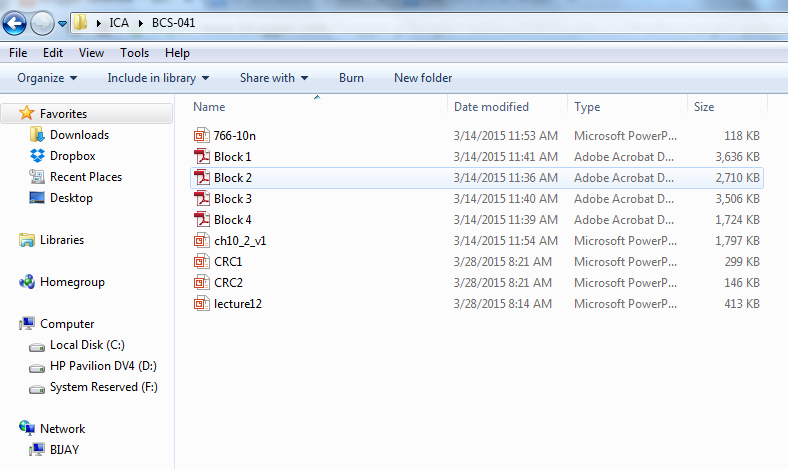
Here, I have chosen a PDF file that would be converted into Microsoft Word document
Here, I have selected the conversion option as "Word"
Conversion from PDF to Microsoft Word is going on .......
Final result as a converted Microsoft Word document
(2) Conversion of a PDF file to Image
Here, you can specify the various options regarding Image Conversion (I choose PNG image format )
Conversion from PDF to Image going on ............
Finally, Here is the converted PNG image format of First page of PDF document
(3) Batch Conversion
Here, I have taken four different PDF files that would be used for batch processing
Here, I have chosen an output folder for converting PDF files to Microsoft Word documents
Batch processing for PDF to Microsoft Word conversion is going on...............
Finally, I received the desired output in the form of four different Microsoft Word documents.
(4) Other Features
These are just the samples, there are many more features that you would love to explore........
Recommended System Requirements:
OS: Windows 8®, 7®, Vista®, 2008®, XP®,2003, 32-bit or 64-bit edition
Hard Drive: 150 MB of available disk space
RAM: 512+ MB of free memory
Monitor: 1366 (width) x768 (height) screen resolution
Licence:
PDF Converter Elite 4 is available as a 7-day trial. In the free-trial version, for conversions from PDF to other formats, there is a 3-page per conversion limitation.
Follow this procedure for licensing the application:
Click on "Activate a Licence"
Ask for the genuine keys
Insert your keys and click on "Confirm License Key"
Now you are ready to use the full version application of PCE4. So, Please go for the full version. Buy a license key! It cost just $99.95 (Single User License). Buy It! They Deserved It. Avoid using the cracked version. You won't regret using this software.
Here are the details for License and it's Cost:
Download PDF Converter Elite 4 from
Here
Reference: http://www.pdfconverter.com/support/help/pce4/
Source: http://www.pdfconverter.com/